
Genera: AI Video Generator
AMOBEAR TECHNOLOGY GROUPArt & Design
4.1168.00 Reviews
- Version
- 1.1.9_20261014
- Installs
- 500.00K
- Age Rating
- Everyone
Screenshots
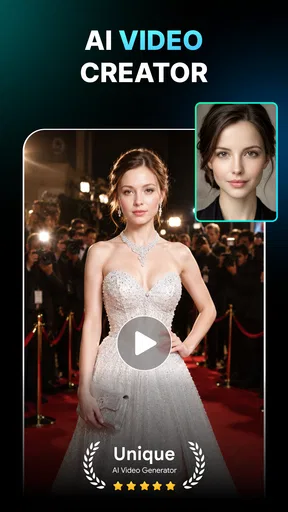
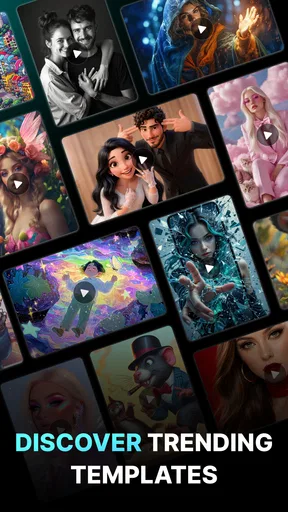
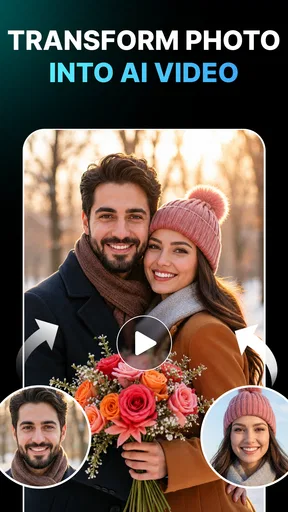
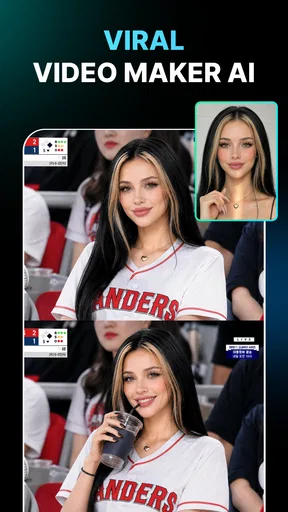
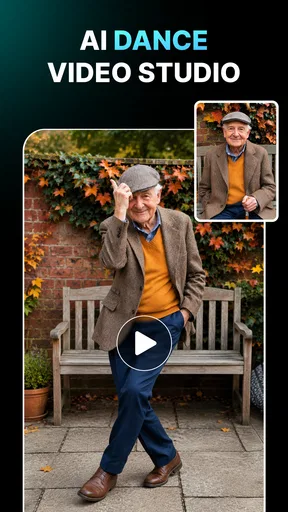
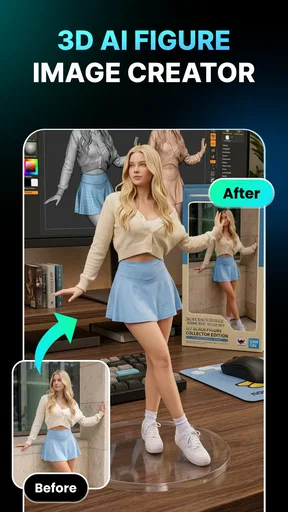
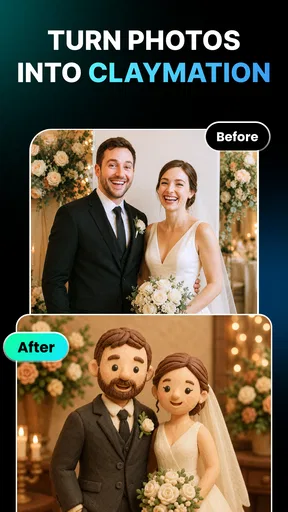
Our Review of Genera: AI Video Generator
 Analysis by Appyee
Genera: AI Video Generator is the kind of Art & Design app I would open when a normal photo feels too static and I want to turn it into something more expressive. Its focus is not traditional drawing or detailed manual editing. Instead, it brings together AI video creation, future-self effects, face dancing, face swapping, and photo enhancement in one mobile workspace. I tested it with the mindset of someone who wants a shareable result quickly, rather than someone building a carefully edited film from scratch.
The app is free to install, carries an Everyone age rating, and comes from AMOBEAR TECHNOLOGY GROUP. It has reached more than 100 thousand installs and holds an average rating of 4.2 from roughly 3.8 thousand ratings. Those figures suggest that the concept is connecting with a broad audience, but they do not change the main question I had while using it: can the app take an ordinary image and produce something enjoyable without making the process feel like work?
From an ordinary photo to a finished AI clip
I found that the most useful way to judge a generated clip is to separate the time spent choosing and preparing a photo from the time the AI needs to transform it. That distinction helps set sensible expectations: a clean portrait can make the creative part feel quick, while a poor match may cost more time in retries than the processing itself. Next, I’ll look at what changes when I use the app repeatedly or push beyond a single casual experiment.
The starting point matters more than I expected
My first useful lesson was that the quality of the starting image controls much of the experience. A clear face, good lighting, and an uncomplicated pose give the AI more to work with. When the subject is partly hidden, heavily angled, or surrounded by distracting details, the result becomes less predictable. This is not unusual for face-based creative tools, but it is especially important here because the app is designed around transforming an existing image rather than giving me a full manual timeline where I can repair every frame.
For a quick social post, I would choose a front-facing portrait with one obvious subject. A group photo may be fun for experimentation, but it creates more opportunities for the wrong face to become the focus or for the effect to look uneven. I also found that a photo with a little space around the head works better than a tightly cropped selfie when the chosen effect involves noticeable movement.
This makes Genera a better fit for people who already have a suitable photo than for someone starting with a vague idea and no source material. If I wanted to draw a character, build a precise poster, or control every visual layer, I would choose a conventional design editor instead. Genera is more immediate: select an image, choose a transformation, wait for the result, and decide whether it is worth sharing.
Choosing the right transformation
The different creative directions serve different moods. A future-self concept is useful when I want a playful “what might I look like later?” post. Face dance is more obviously social and humorous, especially with a portrait that already has a strong expression. Face swapping is the most dependent on choosing compatible images, because differences in angle, lighting, and facial position can make the replacement look artificial. The photo enhancer is the more practical option when I want to improve an image before using it elsewhere.
I would not treat these options as interchangeable buttons. They answer different needs. The enhancer is the sensible first stop for a dull or soft image, while the animation-style effects are better saved for a photo that is already recognizable. A common mistake would be to apply a dramatic effect to a weak source and then blame the generator for a problem that began with the image itself.
The most reliable workflow is to prepare the source image before chasing the effect. I would crop out unrelated people, pick the clearest portrait available, and keep a second image ready in case the first transformation produces an awkward result. That small amount of preparation reduces wasted attempts and makes the final handoff much smoother.
What the step-by-step flow feels like
The basic journey is easy to understand even if the creative outcome is not always consistent. I start with a photo, select the kind of AI treatment I want, and let the app process it. The appeal is that I do not need to learn keyframes, masks, motion paths, or a complicated editing interface. For a casual user, that simplicity is the main advantage over a traditional mobile video editor.
The trade-off is control. A conventional editor may take longer, but it lets me decide exactly where a transition happens, which part of a face moves, how long a clip lasts, and how the final composition is arranged. Genera gives me a faster route to an AI-generated result, but I have to accept more of the app’s interpretation. That is fine for a joke, a greeting, or a quick visual experiment. It is less suitable for a client presentation or a polished campaign asset where every detail needs approval.
I also recommend judging the first result as a draft, not as a final answer. If the face looks slightly unnatural or the movement does not match the mood of the image, changing the source photo can be more effective than repeatedly selecting the same option. The app’s strength is rapid experimentation, so I would use that strength instead of trying to force one imperfect image to work.
Handoffs between creation and sharing
The important handoff is the moment when an image becomes a video or enhanced picture that I can use outside the app. This is where a creative tool proves whether it is genuinely convenient. A result that looks amusing inside the app is only useful to me if I can move it into a message, a social post, or another editing workflow without unnecessary friction.
For a realistic everyday scenario, imagine that I want to send a birthday greeting to a friend. I could choose a clear portrait, try a face-dance treatment, review the generated clip, and pass the result to my usual messaging or social app. The value is not professional production quality; it is the speed of turning a familiar photo into a personal joke. A similar workflow could work for a family group chat, a casual invitation, or a short reaction post.
For a small creator, the handoff can be more deliberate. I might use the enhancer on a portrait, generate a playful variation, and then bring the result into a separate editor for text, music, or a more controlled layout. In that role, Genera is a creative starting point rather than a complete production suite. That distinction matters because someone expecting a full replacement for a timeline editor may feel restricted once the AI output is ready.
I would also keep the original image separate from the generated version. That sounds obvious, but it is useful when an effect is entertaining yet unsuitable for the final post. Keeping both versions lets me compare the transformation, retry with another approach, or use the enhanced still image instead of the animated result.
Where the app is strongest
The strongest part of the experience is the low barrier between an idea and a visible result. I do not need drawing skills, animation knowledge, or patience for a long editing session. That makes the app approachable for people who mainly want to experiment with their own photos. It is also a good match for users who enjoy novelty and do not mind that an AI interpretation may be a little exaggerated.
The combination of face-focused effects and photo enhancement is more useful than having only one novelty filter. If I want something funny, I can try a face transformation. If I want something more practical, I can work on the still image itself. This gives the app a wider range than a single-purpose face-swap tool, even though the experience remains centered on personal imagery.
I can also see value for people who are uncomfortable with traditional design software. A beginner may understand “make this portrait move” much faster than a multi-track editing interface. The app keeps the creative decision at a high level, which is exactly why it can feel friendly during a short break or a spontaneous conversation.
Where the flow breaks down
The same automation that makes the app approachable can also make it frustrating. AI effects are not guaranteed to preserve every facial detail naturally, and a result that looks convincing in one image may look strange in another. I would be cautious about promising a specific outcome before seeing the preview. The app is better for playful exploration than for predictable, repeatable production.
Face swapping deserves particular caution from a quality perspective. Two photos may show the same person but still have different lighting, expressions, or head positions. When those elements do not align, the replacement can lose realism. Choosing images with similar framing is the practical workaround, but it cannot give me the precise control available in a dedicated compositing tool.
The future-self concept also has a built-in limitation: it is an imaginative visual effect, not a dependable prediction. I would use it as entertainment or a conversation starter, not as a serious representation of how someone will actually look. That distinction is important when sharing results with people who may interpret a realistic-looking image more literally than intended.
There is also a cost consideration. The app itself is free, while its in-app purchases range from $5.49 to $59.99 per item. I would therefore explore the basic experience first and decide whether the results justify spending money before committing to any purchase. For occasional users, the free entry point may be enough. For someone generating content frequently, the higher possible purchase level makes it important to understand personal usage habits rather than assuming every feature will be economical.
Another practical issue is patience. AI processing is not the same as applying a simple crop or brightness adjustment. When I want an immediate edit for a message, a conventional photo editor may be faster and more predictable. Genera makes more sense when the transformation itself is the point and I am willing to wait for the app to create something different from the original.
Who should use it, and who should skip it
I would recommend Genera to casual creators, families, social users, and anyone who enjoys turning portraits into short visual jokes. It is particularly appealing if the goal is to make a photo feel animated without learning a full editing program. People who want a simple way to test future-self ideas, face dancing, or face swaps will find the focused workflow easier than assembling those effects manually.
I would be more selective for professional designers. The app can contribute an idea or a rough visual, but I would not make it the only tool for branded work, detailed retouching, or projects that require exact control over identity and movement. A traditional editor is the better choice when layers, typography, timing, and repeatability matter more than speed.
I would also skip it if I mainly need ordinary photo corrections. The enhancer may be useful, but installing an AI-focused app just to adjust exposure, crop an image, or remove a minor distraction may be unnecessary. A standard photo editor is usually a better match for routine corrections because it gives direct control and avoids the unpredictability of a generated transformation.
Device fit and day-to-day practicality
The app supports Android devices running version 8.0 or later, which keeps it accessible to many existing phones. Even so, compatibility does not guarantee the same experience on every device. AI creation is more demanding than browsing a static gallery, so I would allow extra time when working with several images or when the phone is already busy with other tasks.
The current version is 1.1.8_20260714. I would keep the app updated through the normal store process, especially because creative generators can improve through changes to processing and interface behavior. At the same time, I would avoid planning an important event around an untested effect. A quick trial with a nonessential image is the safest way to learn how a particular portrait behaves before using the result publicly.
Because the content rating is Everyone, the app is positioned for a broad audience. That does not remove the need for good judgment when selecting photos or sharing generated images of other people. I would ask permission before transforming someone else’s portrait, particularly when the result could be embarrassing or misleading. The creative workflow is simple, but the social consequences of a face-based edit still deserve attention.
My practical verdict after following the full workflow
Genera: AI Video Generator works best when I approach it as a fast idea machine: start with a strong portrait, choose an effect that matches the purpose, treat the first output as a draft, and move the best result into another app if it needs finishing. Its appeal comes from reducing the distance between a normal photo and a playful AI video or enhanced image.
I would recommend trying the free version if you want quick experiments rather than professional-level control. The app is enjoyable when the goal is a birthday gag, a family message, a social post, or a surprising variation on a familiar selfie. I would choose a conventional editor instead for precise retouching, dependable face compositing, or a complete video project.
My final opinion is positive but measured. This is not a replacement for every Art & Design tool, and its generated results depend heavily on the image I provide. Still, the focused workflow makes creative experimentation approachable, and the mix of future-self, face-dance, face-swap, and enhancement options gives me more than a single novelty filter. If you value speed and playful results over exact control, this app is worth exploring before deciding whether its paid options fit your routine.
Privacy and Permissions
See what permissions an app requests and how it handles your data.
- Photos/Media/Files
- read the contents of your USB storage, modify or delete the contents of your USB storage
- Storage
- read the contents of your USB storage, modify or delete the contents of your USB storage
- Wi-Fi connection information
- view Wi-Fi connections
- Other
- view network connections, full network access, control vibration, prevent device from sleeping, Google Play license check
Verdict
Strengths of Genera: AI Video Generator
- Creates videos from text prompts with minimal editing experience.
- Offers ready-made templates for faster content creation.
- Supports AI-generated visuals for social media and marketing projects.
- Useful for brainstorming video concepts and visual storyboards.
- Cloud-based workflow makes projects accessible across devices.
Limitations of Genera: AI Video Generator
- AI results can vary significantly between prompts and attempts.
- Advanced features may require a paid subscription or extra credits.
- Generated characters and objects may appear inconsistent between scenes.
- Video rendering can take longer for complex or high-resolution projects.
- Privacy terms should be reviewed before uploading personal or business content.
Other Releases by AMOBEAR TECHNOLOGY GROUP
View All
Future Self™: AI Face Aging
Art & Design4.1

HomeMagic: AI Interior Design
Art & Design2.9

Weather Today: Live Radar
Weather4.4
Similar Picks in This Category
View All
Canva: AI Photo & Video Editor
Canva4.8

PENUP – Drawing-sharing SNS
Samsung Electronics Co., Ltd.4.5

Crafto
Kutumb App4.6

Sketchbook
Sketchbook4.1

ibis Paint X
ibis inc.4.5

Adobe Express: AI Photo, Video
Adobe4.6
Frequently Asked Questions
What is Genera: AI Video Generator and what can it do?
Genera: AI Video Generator is an artificial intelligence app designed to turn written prompts, images, or creative ideas into short videos. Depending on the selected tools, you can create animated scenes, social media clips, promotional content, visual stories, and stylized effects. It is mainly aimed at casual creators, marketers, and users who want to experiment with video without advanced editing skills.
Is Genera: AI Video Generator free to download and use?
The app may be available to download at no initial cost, but some generation features, premium templates, export options, or higher-quality results can require in-app purchases or a subscription. Before creating multiple videos, check the pricing page and trial conditions carefully. Also review whether credits are consumed per generation, since AI video tools often limit free usage.
Do I need an internet connection to generate videos in Genera?
Yes, an active internet connection is generally required because video generation is processed on remote AI servers rather than entirely on your phone. Generation time can vary depending on the prompt, video length, resolution, and current server demand. A stable Wi-Fi connection is recommended, especially when downloading finished videos or working with larger image and video files.
Can I use Genera-generated videos for commercial purposes?
Commercial usage depends on Genera’s current license terms and the plan associated with your account. Some subscriptions may grant broader rights, while free accounts can include restrictions on monetization, branding, or redistribution. You should also make sure that your prompts, uploaded images, music, logos, and characters do not violate copyright, trademark, privacy, or publicity rights.
What should I know about privacy when uploading images or prompts?
Before uploading personal photos, client materials, or confidential ideas, read Genera’s privacy policy and content-handling terms. AI services may process prompts and media on external servers, and retention or usage practices can differ by feature and account type. Avoid submitting sensitive documents or identifiable images of other people unless you have the necessary permission.
